

I like having the iCloud Drive on my MacOS dock. I do this for my personal and work accounts. Below are the steps to add the icon to your dock and your desktop
Open the Mac Finder and select Go and then select Go to Folder
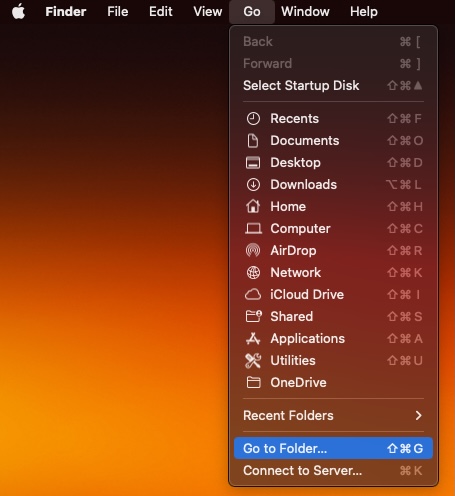
Enter the follow path and press return
/System/Library/CoreServices/Finder.app/Contents/Applications/

Drag the icon iCloud Drive application to your Dock or Desktop
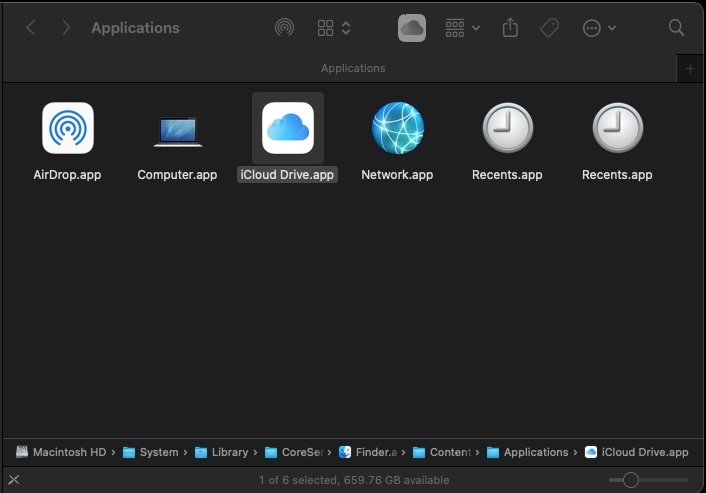

I dragged the icon next to the Finder icon on the Dock.
 Drahusz