Categories
Home PC Sager Ubuntu Windows 7 Windows Stuff

New HDD for my Sager NP8690

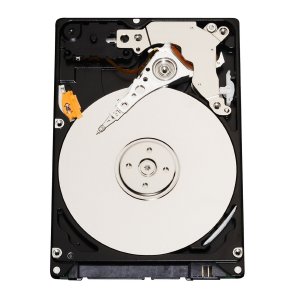
A few weeks ago I purchased a Western Digital 500GB Scorpio Black SATA 7200 RPM for my Sager Np8690.  I also purchased from

CompUSA a Vantec USB 2.0 to SATA (Serial ATA)/IDE Adapter.

I removed the old 320GB HDD and installed the new 500GB drive, installed Windows 7 x64 Ultimate (came with my PC) and then installed Ubuntu 11.04 x64 onto a second partition.  This time I made the Ubuntu partition larger for all the VMs I had on the old system.  I used the Vantec device and copied all my data files for all my account in Ubuntu and Windows 7 to the new HDD.  I’ve used the Vantec device at work many times, and to me it was worth $20.00.

The old 320 HDD is locked away in-case I ever need it again.  Maybe I will install it into a external eSATA device for quick backups or recovery for PCs that I work on in my spare time.

I am please with the performance of the drive, but happier that I don’t receive messages from the OS telling me I’m out of space again.

Categories
Linux Stuff LinuxMint Ubuntu Virtual Machine VirtualBox Windows Stuff Windows XP

Deploying Ubuntu 11.04 onto a Friend’s PC

Unity

Last week I received a Facebook message from a friend asking for PC assistance.  Over the last 2 years, they have seen my PC running Ubuntu 10.x and heard me talk about how stable and secure my PC is.  When Ken’s hard drive failed a short while ago, he ordered a new hard drive from Dell (it was cheaper through Dell than other retailers here) and installed Windows XP Home Edition.  Unfortunately Ken was not able to install the drivers for his PC.  Ken brought his PC over to my place, and we talked about Linux while I installed the missing drivers and SP3 for Windows XP.

I had my work computer (Dell Latitude E6400) which runs Linux Mint 10 at home.  The Dell PC and my Sager PC were booted and I gave a demonstration of each OS.  After about 30 minutes, Ken wanted to run Linux Mint 10 on his Dell Inspiron1525.  So I used my Linux Mint 10 USB stick to verify this PC would run Linux without problems for Ken.  Everything worked except for the Dell wireless NIC.  Linux Mint 10 was unable to detect the card, and since I was running out of time and didn’t want to configure it manually, I shutdown the PC and booted from my newly made Ubuntu 11.04 x32 and x64 ISO USB stick.

Ken’s PC is several years old so I tried the 32-bit version.  For once I was pleasantly surprise with Ubuntu 11.04.  Unity worked, and it wanted to install the proprietary drivers for the Dell wireless NIC. So I started the installation as a dual boot system and went back to some house work.  I installed all third party codecs and drivers from the initial installation screen.

Afterwards I gave Ken a quick tutorial on how to use Ubuntu 11.04.  Although I am not a big fan of the Unity interface, I think this might be a great introduction to new Linux users.

So far I’ve nothing but happiness from Ken about Ubuntu 11.04.  He is using Facebook and has access to his e-mail.  I wish I could have installed a client that would allow Ken to use his iPod Touch to connect to his iTunes store.  If anyone knows of an application that will give Ken this ability in Ubuntu without using Wine, I would like to try it out.

Categories
Geek Stuff Home PC Network Tools Personal Sager Ubuntu Windows 7

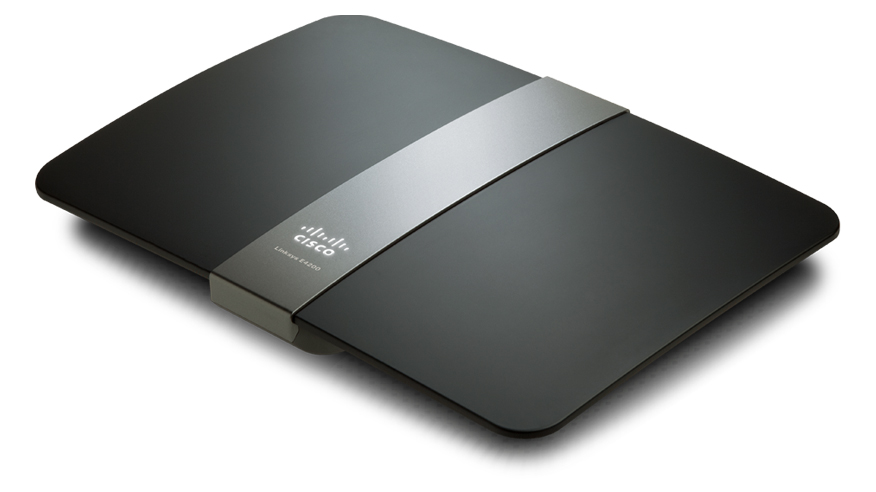
New Linksys E4200 Router

Just over 4 years ago I purchased a Linksys WRT54GS router from Best Buy.  The main reason was to use my work notebook PC because I was not able to go downstairs due to a foot injury. The Linksys WRT54GS worked great.  I never had a problem with firmware updates, the radio signal was strong, and everything I connected through Wi-Fi (including the Wii) worked.  But lately I’ve had a desire to replace the unit to take advantage of wireless N which is on my Sager notebook and my work notebook (Dell Latitude E6400).

I am happy with Linksys products, I’ve recommend them to family, friends, and clients.  So when I heard the Linksys E4200 was available, I had to get it.  But yikes, look at that price!!  Way too expensive, besides the WRT54GS is working fine, no need to upgrade.  However, almost every week, Best Buy or some other company would have ads in the Sunday paper showing me the router I wanted to get, but could not justify the price point.

Then this past Sunday, Best Buy had the router on sale, save $30.00.  Then I remembered I had a Reward Zone $5.00 coupon that was going to expire within 2 weeks, and a $10.00 Best Buy gift card that was waiting for me to use.  My inner voice now said, “How do you feel about saving $45.00 on the router you want?  It has wireless N with a max speed of 450Mbps, guest wireless access, USB drive hookup, and GB wired connections.”  Let’s go shopping!!

This slideshow requires JavaScript.

So on Tuesday I purchased the Linksys E4200 and installed it inplace of the WRT54GS.  The design looks business class.  The Cisco logo lights up.  When the light it solid, everything is good, it blinks during power on or if something is wrong.  The port lights on the back light up, but you can turn them off via the internal web page for whatever reason.  The power supply looks like something  your would expect to see in a notebook.  I like this design over the large block which seems to always take 1.5 – 2 spaces on most power strips and surge protectors.  However, the cord from the AC outlet to the transformer could be a little longer.

You can setup the router with the Cisco software or via your Internet browser at address http://192.168.1.1.  The default password is admin.  I prefer to use the web browser because I have better control of the features I want to enable.  Plus I’ve installed the Linksys software once before on my old Dell PC.  the software brought the PC to an unbearable performance level.

Fist thing, CHANGE THE ROUTER PASSWORD.  Everyone who has a Linksys router has the same password.  If you want to help keep people out of your network, pick a nice complex password, or better a pass-phrase.  Now that’s done, time to setup the wireless.  In my opinion, setting your router not to broadcast your SSID is false security.  Anyone can use Wireshark or other applications to scan the wireless spectrum and will see your SSID anyways.  I like themes, and the last 10 years has been a Star Trek theme for just about everything.  So with my new router, I am going with a new theme.  Now the SSID has a name which reflects the theme I am going with on my PCs.

I left both 5.0 and 2.4GHz on the same SSID with the default channel settings and signal strengths.  Time to start the Sager notebook and experience all the goodness of wireless N… and nothing.  What??  I know the Intel 5300 AGN is a wireless N card like the name states.  Checking Ubuntu Forums, I found an answer from user scarey9.  After modifying the config file, I rebooted the notebook and was ready to experience wireless N… and now what??  Why is my speed fluctuating from 420 Mbps to 1Mbps?

Accessing my e-mail, Internet, playing videos from Youtube was painful.  So let me try booting into Windows 7 x64.  I made the connection to my new router, and I was having the same speed issues.  Playing Battlefied Heroes was terrible.  Something is not right because my old router at a solid 54Mbps can play my on-line games just fine.  Time to do some research again.  Everything I could fine regarding this router stated how great and fantastic it was.  Even after installing the first firmware from Linksys did nothing for me.

I ended up going to Linksys and using WebEx on-line chat.  The technician started helping me by supplying directions on how to configure the router.  After about 45 minutes and looking at the clock (yikes, it is 1:00AM) he said I should take it back to Best Buy an get another one.  Something was wrong with the Wi-Fi.  So I printed the chat history and took it with me when I wen back to Best Buy.

The second router works much better.  The best consistent speed I received is 270 Mbps.  I did see it jump to 450 Mbps, but it does not stay there.  Now I kept some of the suggestions the Linksys tech gave me such as:

  • Setting both 5 and 2.4GHz Network Mode to Mixed.
  • Setting the Channel Width to 40MHz on the 5GHz and moving to Channel 48 – 5.240GHz.
  • Setting the Channel Width to Auto on the 2.4GHz and moving to Channel 9 – 2.452GHz.
  • Enabling SSID Brodcast on both radio frequencies.

What I don’t like about the E4200

Two things that I am very disappointed with this router: USB interface and lack of Parent Controls as in the Linksys Valet.

First, the USB port is 1.1 and 2.0 compliant.  Why not USB 3.0?  It’s been out for a little while, and from what i gathered, the pin connection has not changed for at least 6 months, if not longer.  Plus the performance of the USB port is terrible.  All of my FTP clients and smb connections (Windows shares) timed out.

The Parental Controls via the web interface and the Cisco software are terrible.  With the Valet router I saw, you can select one of the radio buttons for Parent, Teen, Child.  Why would they not include this in the E series?  To my knowledge this is not a business class router.  I can only block a total of 8 URLs on the router.  This is a poor design and should be addressed for the next firmware update.

On last thing which I am confused about is the guest access.  Basically you grant someone access to your wireless connection, they get a 192.168.133.x address and open their web browser.  they enter the password and off they go.  But from what I gathered is they will always have access to you guest network as long as you don’t change the SSID or the password.  This would be OK if the lease expired in a week.  But you can only have a maximum of 10 devices connected.  So if grandma visits for the week with her notebook and does not come back for three months, does that mean I am down to 9 available device connections?  This should be addressed too.  Let me kick off the guest device without having to reset passwords.

I would still recommend this router to anyone who is looking for a high performance unit.  The design is pleasing, the speed is there, the guest access is cool, but I am not impressed with the USB port.

Categories
Virtual Machine VirtualBox VMware Player Windows 7 Windows Stuff

Service Pack 1 for Windows 7 and Server 2008 R2

Recent PCs meeting the minimum hardware requir...
Image via Wikipedia

So Microsoft finally released Sp1 for Windows 7 and Windows Server 2008 R2.  I am going to wait on installing SP1 on my home notebook, and my three Windows 7 x32 and x64 PCs for at least a week or two.  Why??  I need to ensure SP1 will be stable before I install it on my PCs.  If someone asked me to install it on their PCs, I would recommend they wait.  And no matter what, ALWAYS make a full system backup.

Here are a few links which you may have already been to regarding SP1.

I am still amazed about the size of SP1 for x64.

Categories
dell Firefox Geek Stuff Google Chrome Internet Browsers Linux Stuff Skype Software Ubuntu Virtual Machine VMware Player Windows 7 Windows XP Work

Ubuntu 10.10 on Work Notebook

Last year when a new IT Service company took over the contract from another IT Service company I was working for, they issued a new Dell Latitude E6400 notebook to each of us.  This PC is not the beefiest notebook from Dell, but this is not a review of the PC.   The notebook specs are:

  • Intel Core 2 Duo P8700 @ 2.53GHz
  • 2GB RAM (upgraded to 4GB by employer)
  • Intel Video
  • CDR / DVD ROM
  • 14″ Screen
  • SD Card Reader
  • Intel network

The PC came with Windows 7 x32, Symantec EndPoint 11, MS Office 2007, and a few other applications.  Being a good IT technician, I used Symantec Ghost to create a backup image the day it was delivered.  At first I left the PC as is and installed a bunch of software to support the client.  After a year of hard use, computer was having problems booting or just being stable.  In no way is this a bash of Windows 7.  I like Windows 7 but the system needed a rebuild and it was time to try something that’s been on my mind.

After sending an e-mail to my manager asking for access to the ftp server to download MS Office 2007 and Symantec EndPoint 11, I wiped out the HDD and installed Ubuntu 10.10 x64.  With a 64 bit OS, I can use the full 4GB of RAM.  Just like before, installation took about 20 minutes, and everything worked without having to install additional drivers.  Since the client I’m working for has started to roll out Windows 7 x64, I wanted the same for my VM.  Running Windows 7 x32 would be all that I need for the VM, but as I found out over the last 5 months, some applications that work in the 32bit environment will not work in a 64bit environment.  Sometimes you need the native 64bit software to install or work correctly.

So I chose VMware Player to run Windows 7 x64.  The VM is configured for 2.5 GB of RAM, 2 processors, with the NIC configured at bridged for DNS registration.  After activating Windows 7 x64, the system was ready for MS Office 2007 and Symantec EndPoint 11.  While waiting for may manager, I installed Banshee, Filezilla, Terminal Server Client, Google Chrome, Adobe Air, Tweetdeck, Adobe Acrobat Reader, Gimp, Skype, VLC, Ubuntu Tweak, Shutter, modified my Pictures Screensaver, plus a bunch of minor configurations I use for Ubuntu.  After several days of using Outlook Web Access (OWA), I finally received my email with the server information and software keys.

So now I am supporting my client with Ubuntu 10.10 x64 at work.  I can honestly say Ubuntu is ready for the IT professional in a real world environment.  I have three different Microsoft Windows vms for supporting two non-trusting domains, covering x32 and x64 operating systems.  Due to the limited resources on my notebook, I can only run one VM at a time, but that’s OK.  There is a second Linux computer constantly running a Windows XP x32 OS which I use to manage one of the domains.

The nice thing about my setup is the dual monitors.  The default screen is the notebook display, the second screen I use for my VMs or if I need to focus on a particular task.  I usually run Banshee and Empathy IM on the small LCD, Tweetdeck minimized, and Google Chrome for all my personal stuff.  Terminal Server Client is used to connect to the three Windows 2003 or 2008 severs I support orto VNC into a Windows XP workstation.  Plus the other techs at work were impressed with what I accomplished.

So give Ubuntu or any Linux distro a shot at work for a month.  If you plan it a little, you can have your system running Linux with a VM or two to meet your clients needs.

Categories
American Holidays Christmas Motorola Droid Sager Skype Ubuntu Video Windows 7

Merry Christmas 2010

Merry Christmas everyone!  And for those who do not celebrate Christmas, Season’s Greetings and Happy Holidays!

As I write this,I am watching my son play with his Stealth Flyer II Micro wireless helicopter and my daughter playing with the Leapster Explorer.  The kids had a great Christmas.  They got up about 6:30 AM, which is not too bad.  I remember getting up at 5:00 AM and trying to get my parents out of bed to open gifts Santa Claus brought.  One disappointment was the Leapster game we bought, no game cartridge was inside.  Not to happy with the LeapFrog company right now.  I wonder how my return experience at Best Buy will be?

I also have been using using Skype video to talk with my in-laws.  For some reason I had the wrong sound card set for Ubuntu which cause the internal mic not to work.  No problems, I rebooted into Windows 7 and ran Skype for our call.  After the call, I rebooted back into Ubuntu and researched the problem.  That’s when I found out I had the wrong profile.  I switched to Analog Stereo Duplex enabled me to select the internal mic.  I tested using the Droid with my account and Ubuntu with my wife’s account.  Audio and texting worked, now I’m ready for my next call.

Tonight we’ll have spiral cut ham, scalloped potatoes, and green beans for dinner.  Maybe we’ll drive around the neighborhood to see all the lights one the houses, watch some movies, and play some more games.  Either way I am enjoying my days off with the family.

UPDATE:

On December 26th I waited in line at Best Buy to return the LeapFrog game and explain the situation.  After listening to the manager tell me he will do me the favor since I bought the game at another Best Buy store, he exchanged it for me.  He made it seem like it was a huge inconvenience.  Now my daughter can enjoy the Leapster Explorer.

Categories
Sports Steelers Windows 7

Updated Steelers Desktop Theme for Windows 7

I’ve added 4 new pictures to the Steelers Theme I created for my Windows 7 PC.  You can find the theme Pittsburgh_Steelers_Win7_2010.zip, in my Box.net plugin on the sidebar of this blog.

Categories
Linux Stuff LinuxMint Software Windows 7

Linux Mint 10 Julia

Linux Mint 10 is here!  I installed the DVD version onto my 16GB Flash drive using the updates Universal USB installer 1.8.1.2.  I had to increase the primary partition to 1024MB (1GB) to accommodate the full DVD install.  I also created a new casper-rw partition on the remain space, plus modified the Shutdown Policy from USB.  I installed Adobe Acrobat Reader 9.4 and chntpw (both of which can be installed from Software Manager), and I still need to install a few other apps like Google Chrome and Filezilla.

I forgot to copy the DVD ISO to my drive last night so I am downloading while writing this post.  I plan on updating my production PC this week so I can run Windows 7 in a VM to provide support to my customers.  I don’t expect any problems with installing the new OS.  Just remember, always backup your data before installing a new OS.

Kristen's Healthy Living Blog

Exploring ways to live a healthier life

Brave & Reckless

Reclaiming my inner badass at 50

Discover WordPress

A daily selection of the best content published on WordPress, collected for you by humans who love to read.

Drone Builders Blog

Informational Blog for Drone & Quadcopter Builders and Hobby enthusiast.