Categories
Home PC linux Personal

Goodbye Dell Dimension 8200

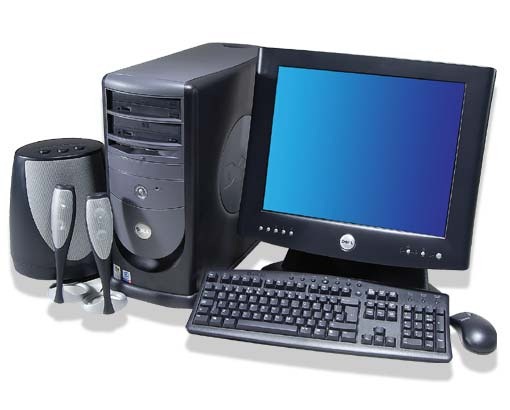
I would like to take a moment to say goodbye to my Dell Dimension 8200 system.  😦  I’ve slayed many monsters and demons on the Diablo series, and fragged many friends playing the Quake series, and destroying the the AI players in HOMM3 (plus actual work stuff).

When it’s time to decommission your home PC, think about the following:

Do you have a current backup?

  • Your first answer should be, “Let me double check.”  There are a lot of options available such as; portable USB hard drive, DVD, CD, NAS, and cloud storage.  I use a portable USB hard drive on my main computer, cloud storage to keep data synced between devices, and DVDs for long term storage.

Do you really need to recycle that PC?

  • Sometimes you can format the hard drive, reinstall the OS and start with a “factory build” image (make sure you have all your serial numbers and installation media or programs).  You could also install Linux which requires far less system resources.  My Dell 8200 ran Ubuntu, Linux Mint, and TurnKey Linux over the last few years.
  • Check with family and friends or nonprofits in your area.  Some nonprofits will supply a tax receipt for your donation.  Take the time during the hard drive wipe to double check the federal tax laws, and be honest when it comes to the value of your PC.

Wipe the hard drive!

  • Besides finding websites that will install malicious software to kill your PC, you can download free hard drive wipe programs, purchase wipe programs on-line or at a retail store, or use a bootable Linux OS from a USB or CD to wipe the drives.  The wipe process will take hours to complete.  My PC took 6 hours to complete.
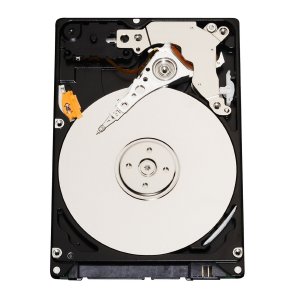
  • Over the last 10+ years, many of the companies I worked for required the hard drive be physically destroyed in addition to wiping.  Some might call this excessive, I call it standard procedure.  You need to remember, that hard drive once stored every bit of information about you.
  • About a year ago I purchased a new paper shredder which can shred credit cards, CDs, and DVDs.  I’ll go on record stating how much fun it is shredding DVDs.

Now that your ready, take the PC, glass tube monitor, and other accessories to the recycle event in your community.  My community holds regular events for disposal of electronics, household hazardous waste, and other recycling programs.

Categories
Games Geek Stuff Home PC iMac Sager Software Windows 7

Upgraded iMac and Diablo 3

I’ve been using the iMac constantly since I bought it.  It has replaced my Sager Core i7 as my primary computer.  About a week ago I upgraded the RAM to 12GB so I could play Team Fortress 2 and Diablo 3.  Oh and the memory upgrade also helped with running the Windows 7 Enterprise virtual machine I need for work.

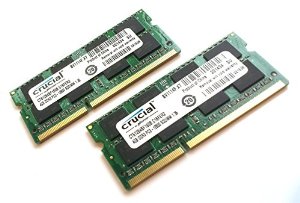
So let’s talk about the memory upgrade process.  According to Apple, the most RAM my 2011 Core i5 iMac can upgrade to was 8GB.  I really had a hard time believing this.  I can see 32GB being a maximum.  So I started looking into going beyond the 8GB limit.  Normally I purchase memory from 4allmemory.com, but several colleagues mention looking at Crucial.com.   The Crucial website had an option to scan my computer for the exact match.  So I downloaded the zip file and extracted CrucialMacScanner.app.  The information will open in your default web browser.

I can upgrade the AM to a maximum of 32GB.  WOOT!!  I scaled the WOOT back after checking the price for a 16GB kit.  So I went with a 8GB kit to bring the total system RAM to 12GB.  The price seemed fair, and Crucial is a trusted company.  I received the memory within a few days and installation occurred shortly after dinner.

The five character classes of Diablo III. L-R ...
The five character classes of Diablo III. L-R Wizard, witch doctor, demon hunter, barbarian and monk (Photo credit: Wikipedia)

The link Crucial provided for video directions were for a Dell GX desktop computer.  FAIL!!  The correct directions are located on Apple’s Support web site.  However, the web site also states the maximum RAM is 16GB.  FAIL!!  Besides that, the directions were perfect.

OK, now I have plenty of RAM, time to purchase Diablo 3.  I am a big fan of the Diablo series.  My friends and I have played for 14 hours strait (before children) at LAN parties.  I still have my original characters.  I have to admit about not being too thrilled about logging into Battle.net just to play, but I like the idea now and here’s why.  Diablo 3 is installed on both iMac and my Sager notebook.  I can play the on either computer, and have access to my characters.  So if the kids are using the iMac, I can pickup where I left off with my notebook.  WOOT!!

Some users have complained about the performance of Diablo 3 on the iMac.  I have not seen any issues with the game.  I tweaked the video settings up a little, but I didn’t go crazy with enabling every single shadow, rain drop or whatever.  I average about 80 FPS (Frames Per Second).  I doubt I would see a performace hit with multiplayer.

Categories
Dropbox Home PC iPad LogMeIn Personal Skype Video

My New iPad

After 2 years of shopping around for tablets, I finally purchased an iPad 3 aka The New iPad.

I was going to mention what took me so long to purchase the iPad, but it is a boring story about saving money, looking at tablets at least once a month, reading blogs about with everyone’s opinion, and just waiting for the tablet that had all the right features. For a few months, I thought the Asus Transformer 201 was the right device. Nvidia quad core processor, Ice-cream sandwich for the OS, and the optional keyboard to “transform” into a netbook.

New iPad
New iPad (Photo credit: sidduz)

But when I compared the iPad 3 to the Transformer 201, I felt the iPad was a better tablet. Yes, the iPad was more expensive, but over the last year I was becoming more use to the IOS interface, providing support for iPhones and iPads at work, and I really like my iPod. I have also noticed when I need to check my personal email away from home, or look at the calendar, I usually went to the iPod over my Android phone. Plus my Android phone needs to be replaced. Too many lock ups with apps, and I have to reboot it once a day.

I love my new iPad! I have used it every day for the last week for work and home. I take it to work and use Evernote to take notes of computers that I’m working on, use AIM app to keep in touch with colleagues and friends, listen to music, and attend web meetings with AT&T Connect. Plus several customers at work have made suggestions on apps and other accessories. I purchased a case at Amazon.com called the Bear Motion, in black. The case props up the iPad at a good angle for typing (writing this post on the iPad now), and for video calls using FaceTime.

I don’t have any major issues or complaints about the iPad. I do want to find a good office suite for the iPad, and it would be nice if Microsoft would realse a version of Office for the iPad. I know Pages, Numbers, and Keynote are available. I had several colleagues recommend Documents To Go as an option. However, after all these years of trying different office suites, nothing compares to Microsoft Office. It is a standard, and I’m familiar with the programs.

I would recommend the iPad to anyone, but i also tell people to look at all the options. They might like an Android or Windows tablet over the iPad. Maybe picking up the iPad 2 would be a better option for someone instead.

Now, let’s see if I can figure out how to upload a few screenshots I made last week using the WordPress app.

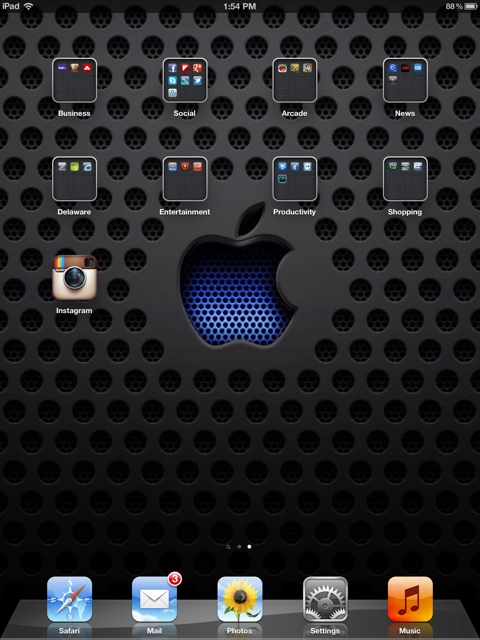
20120407-214232.jpg
Lock screen for my iPad. Feels like a Star Trek Univerise
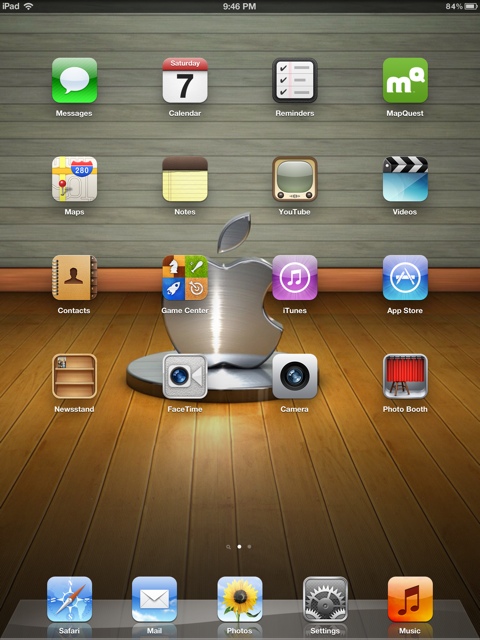
20120407-214334.jpg
Second home screen from march 31st
20120407-214648.jpg
Home screen from April 7th.
Categories
Home PC iMac LinuxMint Sager Ubuntu Virtual Machine VirtualBox VMware Player Windows 7 Windows XP

Getting an iMac

Over the past year I’ve been thinking about getting a new PC for the family.  The current Dell Dimension 8200 (almost 10 years old) was having a hard time running Windows XP and all the patches and security to keep it mostly virus and malware free.  I installed Ubuntu 11.10 server on that Dell PC and turned it into a media server and backup storage device.

So what to get for the family?  I could go with another Windows 7 PC and have the option to have more virus and malware installed every time the kids go to one of their kid friendly sites.  My wife might need Windows 7 for remote access to work, plus it’s a familiar interface for everyone.

I could go with Linux OS such as Ubuntu 11.10, Linux Mint 12 (when it is available), or some other disto.  But the problem with Linux for the family, a whole bunch of kid websites just don’t work with Linux.  For example, Cartoon Network has some pretty cool games, but most of the games will not work in Linux.  Those games require different engines such as Unity (not to be confused with Unity for Ubuntu).  Also, many games that I like to play are not available in a Linux environment.  I tried running Windows XP in a VM, but the performance is terrible and the games require high-end video cards which you never see in a VM.

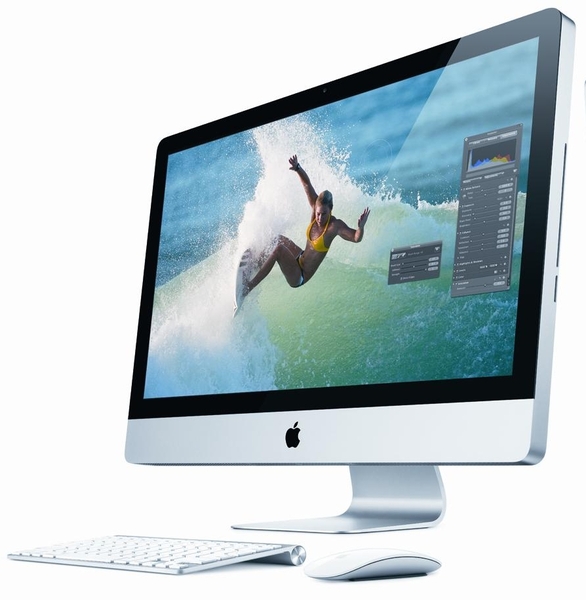
My buddy at work suggested getting an iMac.  The first thing that went in my mind, “How am I going to afford that?”  Turns out the entry level iMac is within my budget.  So I stopped at the local Apple Store and took a look.  Usually I’m in there for a few minutes with the kids to kill time while my wife is shopping.  Now I had time to shop.  As usual I was assaulted but several employees right away.  But I needed time to look over what they had and get some ideas before I would talk with someone.

Steve, the sales person, saw I was ready to have my questions answered.  After a few minutes of talking about my concerns and what I wanted to accomplish, Steve unlocked the iMac and let me install some of the games from Cartoon Network.  Out of all my years in IT, from selling to support, I’ve never heard someone say let’s unlock the computer and install the web apps you mentioned.  So I played some of the Cartoon Network games. I was hooked.  Just need to upgrade the memory from 4GB to 8GB.  The Apple memory is expensive.  Looks like I’ll be checking on-line for a better price.

Now, what am I going to do about some of the Windows only applications I need?  I will keep my notebook PC as a dual boot between Windows 7 and Linux (not sure about keeping Ubuntu).  Maybe I’ll install VMWare Fusion, VirtualBox, Parallels or Bootcamp for my Windows needs.  I doubt I’ll ever break away completely from Windows.  Too many applications I need for Windows for my job.

So this Christmas Santa will deliver a new computer for the family.  It will meet the needs of my family, address my concerns, and also give me a little education in the Mac world.

Now, what book should I get…

Categories
Home PC Sager Ubuntu Windows 7 Windows Stuff

New HDD for my Sager NP8690

A few weeks ago I purchased a Western Digital 500GB Scorpio Black SATA 7200 RPM for my Sager Np8690.  I also purchased from

CompUSA a Vantec USB 2.0 to SATA (Serial ATA)/IDE Adapter.

I removed the old 320GB HDD and installed the new 500GB drive, installed Windows 7 x64 Ultimate (came with my PC) and then installed Ubuntu 11.04 x64 onto a second partition.  This time I made the Ubuntu partition larger for all the VMs I had on the old system.  I used the Vantec device and copied all my data files for all my account in Ubuntu and Windows 7 to the new HDD.  I’ve used the Vantec device at work many times, and to me it was worth $20.00.

The old 320 HDD is locked away in-case I ever need it again.  Maybe I will install it into a external eSATA device for quick backups or recovery for PCs that I work on in my spare time.

I am please with the performance of the drive, but happier that I don’t receive messages from the OS telling me I’m out of space again.

Categories
Geek Stuff Home PC Network Tools Personal Sager Ubuntu Windows 7

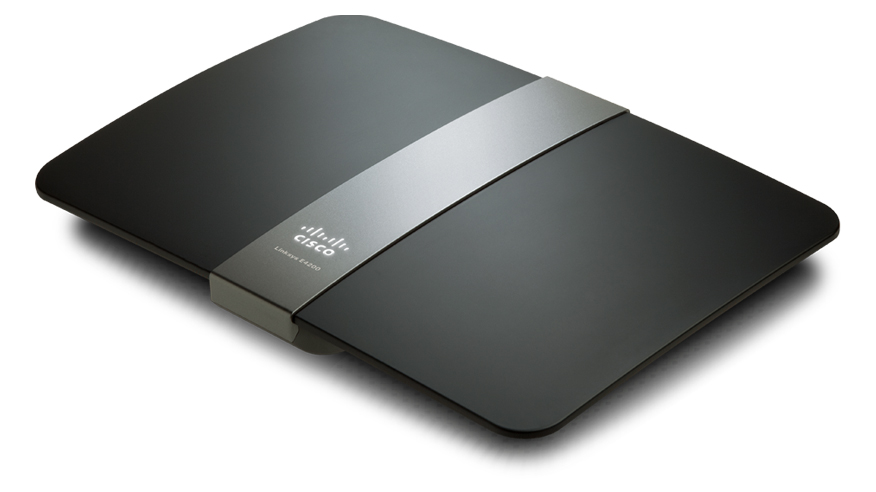
New Linksys E4200 Router

Just over 4 years ago I purchased a Linksys WRT54GS router from Best Buy.  The main reason was to use my work notebook PC because I was not able to go downstairs due to a foot injury. The Linksys WRT54GS worked great.  I never had a problem with firmware updates, the radio signal was strong, and everything I connected through Wi-Fi (including the Wii) worked.  But lately I’ve had a desire to replace the unit to take advantage of wireless N which is on my Sager notebook and my work notebook (Dell Latitude E6400).

I am happy with Linksys products, I’ve recommend them to family, friends, and clients.  So when I heard the Linksys E4200 was available, I had to get it.  But yikes, look at that price!!  Way too expensive, besides the WRT54GS is working fine, no need to upgrade.  However, almost every week, Best Buy or some other company would have ads in the Sunday paper showing me the router I wanted to get, but could not justify the price point.

Then this past Sunday, Best Buy had the router on sale, save $30.00.  Then I remembered I had a Reward Zone $5.00 coupon that was going to expire within 2 weeks, and a $10.00 Best Buy gift card that was waiting for me to use.  My inner voice now said, “How do you feel about saving $45.00 on the router you want?  It has wireless N with a max speed of 450Mbps, guest wireless access, USB drive hookup, and GB wired connections.”  Let’s go shopping!!

This slideshow requires JavaScript.

So on Tuesday I purchased the Linksys E4200 and installed it inplace of the WRT54GS.  The design looks business class.  The Cisco logo lights up.  When the light it solid, everything is good, it blinks during power on or if something is wrong.  The port lights on the back light up, but you can turn them off via the internal web page for whatever reason.  The power supply looks like something  your would expect to see in a notebook.  I like this design over the large block which seems to always take 1.5 – 2 spaces on most power strips and surge protectors.  However, the cord from the AC outlet to the transformer could be a little longer.

You can setup the router with the Cisco software or via your Internet browser at address http://192.168.1.1.  The default password is admin.  I prefer to use the web browser because I have better control of the features I want to enable.  Plus I’ve installed the Linksys software once before on my old Dell PC.  the software brought the PC to an unbearable performance level.

Fist thing, CHANGE THE ROUTER PASSWORD.  Everyone who has a Linksys router has the same password.  If you want to help keep people out of your network, pick a nice complex password, or better a pass-phrase.  Now that’s done, time to setup the wireless.  In my opinion, setting your router not to broadcast your SSID is false security.  Anyone can use Wireshark or other applications to scan the wireless spectrum and will see your SSID anyways.  I like themes, and the last 10 years has been a Star Trek theme for just about everything.  So with my new router, I am going with a new theme.  Now the SSID has a name which reflects the theme I am going with on my PCs.

I left both 5.0 and 2.4GHz on the same SSID with the default channel settings and signal strengths.  Time to start the Sager notebook and experience all the goodness of wireless N… and nothing.  What??  I know the Intel 5300 AGN is a wireless N card like the name states.  Checking Ubuntu Forums, I found an answer from user scarey9.  After modifying the config file, I rebooted the notebook and was ready to experience wireless N… and now what??  Why is my speed fluctuating from 420 Mbps to 1Mbps?

Accessing my e-mail, Internet, playing videos from Youtube was painful.  So let me try booting into Windows 7 x64.  I made the connection to my new router, and I was having the same speed issues.  Playing Battlefied Heroes was terrible.  Something is not right because my old router at a solid 54Mbps can play my on-line games just fine.  Time to do some research again.  Everything I could fine regarding this router stated how great and fantastic it was.  Even after installing the first firmware from Linksys did nothing for me.

I ended up going to Linksys and using WebEx on-line chat.  The technician started helping me by supplying directions on how to configure the router.  After about 45 minutes and looking at the clock (yikes, it is 1:00AM) he said I should take it back to Best Buy an get another one.  Something was wrong with the Wi-Fi.  So I printed the chat history and took it with me when I wen back to Best Buy.

The second router works much better.  The best consistent speed I received is 270 Mbps.  I did see it jump to 450 Mbps, but it does not stay there.  Now I kept some of the suggestions the Linksys tech gave me such as:

  • Setting both 5 and 2.4GHz Network Mode to Mixed.
  • Setting the Channel Width to 40MHz on the 5GHz and moving to Channel 48 – 5.240GHz.
  • Setting the Channel Width to Auto on the 2.4GHz and moving to Channel 9 – 2.452GHz.
  • Enabling SSID Brodcast on both radio frequencies.

What I don’t like about the E4200

Two things that I am very disappointed with this router: USB interface and lack of Parent Controls as in the Linksys Valet.

First, the USB port is 1.1 and 2.0 compliant.  Why not USB 3.0?  It’s been out for a little while, and from what i gathered, the pin connection has not changed for at least 6 months, if not longer.  Plus the performance of the USB port is terrible.  All of my FTP clients and smb connections (Windows shares) timed out.

The Parental Controls via the web interface and the Cisco software are terrible.  With the Valet router I saw, you can select one of the radio buttons for Parent, Teen, Child.  Why would they not include this in the E series?  To my knowledge this is not a business class router.  I can only block a total of 8 URLs on the router.  This is a poor design and should be addressed for the next firmware update.

On last thing which I am confused about is the guest access.  Basically you grant someone access to your wireless connection, they get a 192.168.133.x address and open their web browser.  they enter the password and off they go.  But from what I gathered is they will always have access to you guest network as long as you don’t change the SSID or the password.  This would be OK if the lease expired in a week.  But you can only have a maximum of 10 devices connected.  So if grandma visits for the week with her notebook and does not come back for three months, does that mean I am down to 9 available device connections?  This should be addressed too.  Let me kick off the guest device without having to reset passwords.

I would still recommend this router to anyone who is looking for a high performance unit.  The design is pleasing, the speed is there, the guest access is cool, but I am not impressed with the USB port.

Categories
Home PC Linux Stuff Sager Ubuntu

Modify Screensaver Picture Path in Ubuntu

Gnome-screensaver on Ubuntu 8.04
Image via Wikipedia

On my Ubuntu PCs I use the Pictures Folder screensaver.  It’s a nice screensaver that cycles through all your pictures.  At work I run dual monitors and the screensaver displays different pictures.

What I don’t like about this screensaver, no way to configure which pictures I want to use.  My Pictures folder contains a bunch of sub-folders like misc, Whos Who (which hold different avatars I use on different social media sites), Camera (pictures of the kids), funnies (stuff i find to be very funny but appropriate for work), Wallpaper, and so on.  So I started searching Google and found a quick solution on page 2 of the following link:

http://ubuntuforums.org/showthread.php?t=230576&page=2

The  post wiredsoul submitted works great!  Open gedit and modify file /home/.config/user-dirs.dir.  I wanted just my Wallpaper folder for the screensaver.  Below is the test from my file:

# This file is written by xdg-user-dirs-update# If you want to change or add directories, just edit the line you’re# interested in. All local changes will be retained on the next run# Format is XDG_xxx_DIR=”$HOME/yyy”, where yyy is a shell-escaped# homedir-relative path, or XDG_xxx_DIR=”/yyy”, where /yyy is an# absolute path. No other format is supported.
#
XDG_DESKTOP_DIR=”$HOME/Desktop”
XDG_DOWNLOAD_DIR=”$HOME/Downloads”
XDG_TEMPLATES_DIR=”$HOME/Templates”
XDG_PUBLICSHARE_DIR=”$HOME/Public”
XDG_DOCUMENTS_DIR=”$HOME/Documents”
XDG_MUSIC_DIR=”$HOME/Music”
XDG_PICTURES_DIR=”$HOME/Pictures/Wallpaper”
XDG_VIDEOS_DIR=”$HOME/Videos”
The next to the last line I added Wallpaper.  Now the screensaver only displays all the files and files in sub-folder of Wallpaper.
Thanks wiredsoul!
Categories
Geek Stuff Home PC Sager Software Ubuntu Virtual Machine VMware Player

Playing a Game from 1988 on VM in 2011

An Apple IIe with DuoDisk and Monitor //.
Image via Wikipedia

Tonight I read a post on Howtogeek.com about the Apple IIe.  The Apple IIe was our family’s second computer my dad purchased back in 1984 or 1985.  I remember the night my brothers and I drove out to the Apple dealer on the far side of Pittsburgh, PA.  If I remember correctly, it was past Green Tree Hill.  The post on Howtogeek.com started reminding me of all the great times I had with that Apple IIe.  Here are the specs:

  • CPU: 65C02 @ 1.02MHz
  • 128k RAM
  • Mouse single button
  • Duodisk 5 1/4″ floppy disk drive
  • Apple Color Dot Matrix printer (unknown model)
  • 1200 bps modem (unknown model purchased about 2 years later)
  • Green mono-color monitor with tilt action

So I went to Google and searched for Ultima V Warriors of Destiny, and found some pictures of the game.  And I thought to myself, “Oh, so that’s what it would have looked like in color.”  One of my children came over and saw the screen and asked what I was looking at.  So I explained to him about the game I used to play back in 1988 and I wished I could play it again.  We did find a video of Ultima III Exodus and while the video was playing he said it looked cool and he wanted to try it too.  So I sent him off to bed and I started reading on how I was going to play this game again.

I knew that VMware Player was going to be the tool of choice.  I just needed a few things like MSDOS 6.22 in a preferred ISO format, a way for VMware Player to see the files, oh and the game itself.  Well finding the game, manuals, maps, and scanned copies of the front and back of the box, and MSDOS 6.22 was easy.  So I created a VM with 1GB HDD, 16MB RAM and a single processor (all over kill but who cares, it is a VM.)  I set the MSDOS 6.22 ISO as the CD-ROM and booted from it.  I was able to fdisk and create a C: drive and rebooted.  I formatted the C: with the /s parameter copied over all the files from the CD-ROM, and rebooted into the VM BIOS.  I changed the boot order to so the HDD would boot first instead of the CD-ROM.  So now I have a VM of MSDOS 6.22.

But I could not figure out how to get the seperate files from the game into the VM.  Remember this is MSDOS6.22 without any network support, just a base OS.  A little more research brought me to a blog on WordPress which explained to me how to create a .IMG file. The part of that post which helped was was Creating the image:.  Now I have a .IMG file of Ultima V Warriors of Destiny.  That IMG file can be mounted as a floppy drive in VMware Player. From within the VM, just change to drive A: and run ultima.

Here are a few screen shots of the VM with the game when it first starts.

This slideshow requires JavaScript.

Kristen's Healthy Living Blog

Exploring ways to live a healthier life

Brave & Reckless

Reclaiming my inner badass at 50

Discover WordPress

A daily selection of the best content published on WordPress, collected for you by humans who love to read.

Drone Builders Blog

Informational Blog for Drone & Quadcopter Builders and Hobby enthusiast.