Found this on YouTube today.
Categories
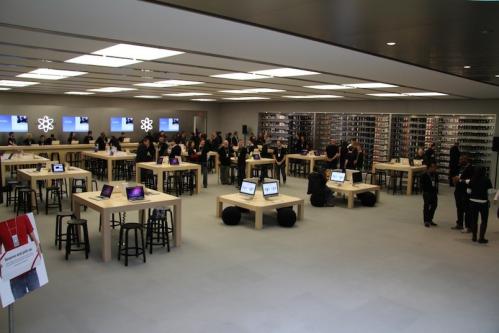
Apple Store Love Song
 Drahusz
I have been in the IT profession over 27 years. Most of my experience was providing Workstation / Desktop support for several clients.
Found this on YouTube today.
I plan on purchasing a System 76 Serval Professional notebook at the end of October. Why am I waiting? First my birthday is at he end of the month. Second, I have to interview for my job. That’s a story for a later time.
So having some hopes that everything goes well, I stopped by System 76 to look over the Serval notebook. Oh my, the amount of available options have changed to almost nothing. This tells me to wait and see if the new Core i7 will be available. The only negative thing I see about getting a Core i7, I might not be able to afford it.
As of today I can get the Serval with the following for $1843.00
The hard part is waiting. Wish I had a Flux Capacitor in my Subaru.

One of my best friends, Ron, who I’ve had the pleasure to work with for about 10 years in the IT field is having a Windows 7 Release party at his house. Since we both moved on to different companies, it’s been difficult to meet up with him. Ron is one of the best guys I know in IT. His skill set is strong, if he doesn’t know the answer to a problem, you can bet he will research it until he get a solution, and his customer service skills are second to none.
So I accepted his invitation to attend his Win 7 Release party. I asked Ron what he is going to demonstrate. Ron said, the multi-media features, how to navigate around the OS, hook up different devices, how to configure wireless, and answer questions. I asked if he will be able to show the updated BSOD and if I should bring a Linux USB or CD to help recover his PC.
I am looking forward to seeing the final product. I prefer Ubuntu and Mint 7, but I will need to be up to speed with Windows 7. It will only be a matter of time before the client migrates from Windows XP / Vista to a supported OS. All in all it should be a good time.
About 10 days ago I purchased a 16GB USB Flash Memory “jump drive” from New Egg. I bought the Corsair Flash Voyager with the rubber case. It is not the fastest drive out there – it is the fastest drive I’ve owned. Having 16GB of drive space is now allowing me to have some fun with people by showing them Linux booting and running from a USB memory stick.
The first distro I installed was Ubuntu 9.04. I used the USB Startup Disk Creator located under System -> Administration from the Menu Bar. You will need the Ubuntu 9.04 CD or the .iso file to load the system on the USB memory stick. Using the slider button I set the maximum storage space to save all my files. This will allow me to save documents, music, e-mail, web bookmarks, just about anything I want up to about 14GB. I can’t tell you how long it took becasue I had to step away for awhile to assist a client with a PC issue.
After installation was complete, I booted the USB drive off a test HP computer. Everything worked! Ubuntu detected all hardware on this PC, allowed me to connect to the Internet, use Terminal Server to connect to Windows 2008 servers, connect to my printers (HP LaserJet 4200 and HP OfficeJet Pro K550), and connect to the shares on my Linux and Windows PCs.
I changed the GDM Login to skip the autologin of LiveUser and created a new user account called george. I rebooted the PC and was able to logon as George to the Ubuntu instance as George. Using this account I connected to my printers, and changed the wallpaper to a Star Trek theme. Later that night I used the USB stick with my notebook to set up access to my home wireless network (worked with no problems connecting to my WPA2 network), G-mail on Thunderbird, and my HP Color LaserJet 2605 network printer. For the rest of the weekend, that was the PC I used.
Now I happen to have an iso of Linux Mint 7 and I wanted to try it out on the USB drive. I found a post on PenDriveLinux.com on how to install Linux Mint 7 onto a USB memory stick from within Windows. Instead of the 1GB persistence file, I chose the 4GB file. I partitioned the USB drive; 7GB for Mint 7, and 8GB for storage of downloads and other miscellaneous files. The 8GB partition is formatted to FAT32 so I can use it when I need to connect to Windows.
The green and dark grey / black colors look very nice. As stated above, I modified GDM to stop the auto login of the use mint, and created a user called george. I also like the Mint menu instead of the standard Gnome Menu Bar. If you prefer the Gnome Menu Bar, you can add it by right clicking the Panel bar and select Add to Panel.
I was able to enable the Compiz and customise it to my liking. I picked the option to have the spinning cube when I switch desktops, and picked Beam Up when I close the windows (looks cools with the Star Trek wallpaper.) I also installed Thunderbird 3 beta 4 and configured it with my G-mail account.
Most of the PCs I tested Mint 7 on worked well. I always found the ether-net cards and connect to the Internet. I like the fact every website I went to had working multi-media except for audio correctly. The sound is very faint.
Some things I find annoying:
I would like to try this bootable USB on some other PCs like Dell, Gateway, or a Macbook Pro. I would also like to figure out how to get Symantec ghost32.exe to work with Wine. The program works but doesn’t see the local hard drive. If I can make that work at the client site then I can move BartPE to a secondary tool.
I should also mention that I chose not to save any passwords incase I lose my USB stick. I configured Thunderbird not to save messages on the system, but I don’t think it is working correctly. I might look into enabling encryption on the home folder or see if I can
Although I have no plans on making this a permanent distro to use at work, I will give it great consideration when I rebuild my Dell Dimension 8200 after I purchase my new notebook.
I would like to wish all of my hard working fellow Americans; Happy Labor Day!
On Saturday I finished all my yard work, got in a 20 minute bike ride, and took the family to see Harry Potter and the Half-Blood Prince. The movie was very entertaining and the kids ate a ton of popcorn. I am looking forward to seeing the last Harry Potter movie.
Today we celebrate working by taking a day off – paid if your lucky. I’ll be spending the day grilling lunch and dinner. What’s on the menu? Hotdogs, bratwurst, and lamb chops. Chips, fresh salsa, and Samuel Adams Octoberfest will be available too.
Enjoy the last weekend of summer!
Here is a link for the history of Labor Day and a cartoon by Clay Bennett.

Today is the Friday before Labor Day in the United States. Many of the employees of the client I support are off today. So I am taking this opportunity to rebuild my Fedora Core 11 PC (completed) and my Ubuntu 9.04 PC. I am also building a new Windows XP PC for R&D.
So far everything is going well.
Of course I backed up my Ubuntu PC using rsync to an external HDD. Since I decided to rework my partitions I also backed up the /home directory too. Everything is being built from scratch. Hopefully I can have everything finished by end of business today.
Tonight I was reading some of my favorite sites, one of them being Neowin.net. They had a story about Nintendo now allowing you to download the Internet Channel for free on the Wii. The browser is Opera which includes Flash Lite 3.1. So I gave it a shot and it wasn’t too bad. It will be several years IMHO before it would replace a browser on a PC, but for the most part I was able to view this site with the YouTube video links, look at the pictures I took at the circus, and search on Google. I tried to read a PDF but received an error stating it could not open it – unsupported file format or something.
Since I don’t have a Wii keyboard, I had to use the remote to point to each letter on the screen keyboard to enter a url.
Exploring ways to live a healthier life
Reclaiming my inner badass at 50
A daily selection of the best content published on WordPress, collected for you by humans who love to read.
Informational Blog for Drone & Quadcopter Builders and Hobby enthusiast.
 Drahusz