Categories
Home PC Personal Sager

Logitech Anywhere MX Mouse

On my Dell desktop I use a Microsoft IntelliMouse Explorer.  I’ve used this mouse for years because it is reliable and comfortable.  It takes me a long time to find a mouse that I’m comfortable with.  I like to play games like Diablo1 and 2, Quake 2, 3, Arena, Jedi Knight 1 and 2, and Heroes of Might and Magic 3.  I use the mouse a lot and if it’s not comfortable, my hand will cramp and I won’t be happy using the PC.

After I purchased my Sager NP8690, I was using a Dell Bluetooth mouse.  The mouse is ergonomic and functions well, but its not comfortable.  It has too much height in the back and doesn’t feel right.

So over the last week or so I researched at Newegg.com, Staples.com, BestBuy.com, and Amazon.com several models buy Microsoft, Logitech, HP, and Kensington.  I read reviews about why one mouse was better than another, which one seems to have more problems than others, and the latest technology.

I finally decided on the Logitech Anywhere Mouse MX.  Its very comfortable and as you can see from the pictures it is very cool looking too. One of the best features is the scroll wheel.  It normally has the “click” when you scroll up or down.  When you press the mouse wheel the free wheel is running.  This is great if you have a long webpage or multi-page document.  While some have complained about missing the third mouse click, I like this new feature.  Also, when I click on the button behind the scroll wheel, You are presented with an exploded view of what programs are open.

This mouse also works great in Linux Mint 8. No drivers to install, just start Linux and your ready to roll.  In Linux Mint 8, the button behind the scroll wheel enables the Desktop Spinning Cube (as long as you have it enabled). 

I guess the most technology advanced piece is the Dark Field laser.  There is a PDF in the Box.net plug-in on the right side of this blog.  They say the table needs to be at least 4mm thick for it to work.  I might try the bedroom mirror to see how well it works.

View Logitech Anywhere Mouse MX
View Full Album
Categories
Personal Reading Material

Dr. Seuss 106th Birthday

Today was Dr. Seuss’ birthday.  Here is a post from GeekDad on Dr. Seuss.  There is also a detailed biography at Seussville.com.

I always enjoyed reading his books when I was a kid, and I enjoy reading them to my children today.  This week the daycare my daughter attends is celebrating Dr. Seuss all week.  Yesterday’s story was Green Eggs and Ham.  I wonder what stories will be covered this week.

Categories
Personal

Cub Scouts Visiting WSTW

Yesterday the Cub Scouts from our Den toured radio station WSTW 97.3 FM in Wilmington, Delaware.  The scouts were very excited about visiting a radio station.  Our tour guide Natalie was very knowledgeable of the operations of the radio station.  The scouts recorded in the studio, then edit out all the dead space, and played it back for us.  We met several of the on-air personalities “radio jocks” and witnessed late breaking news of a serious accident in Smyrna, Delaware.

The building also houses sister station WDEL 1150 AM and GraffitiRadio.com which plays alternative rock on HD radios and the Internet. 

Categories
Personal

Welcome Back CompUSA

I guess it was back in 2008 CompUSA closed all or almost all of it’s retail stores.  Yesterday I drove by and stopped in one of their new locations in Delaware.  The store I was in use to be an Office Max for many years.  Office Max was a huge store and never too busy.  Usually you can get in and out within 5 minutes if you knew what you were looking for.  With CompUSA in there, it was the same experience – not too busy.

Sure the door just opened within the last week or two, they even have a large sign “Grand Opening.”  So I stopped in to see what they have.  It was nice to be noticed as soon as I came in.  I told the store greeter I’m just looking and if I need help I’ll ask.  Just like the old store there were plenty of items to purchase.  Display cases full of Intel core i5 chips, motherboards, CPU cases, flat screen monitors, cables with all kinds of adapters.  Of course they had televisions, camera, and other items. 

During my visit I was asked if I needed assistance four times.  Each time I said, “no I’m just looking.”  I understand the store was slow and the sales people are doing their job, but please pay attention to your environment.  If you see several sales people talking to the same customer and leaving, maybe that person is just looking and does not need assistance.  Maybe you could stand near by and be ready to help me if I ask. 

I will admit they had a good price on a Logitech mouse I was interested in.  However I found the same mouse at Amazon.com for a better price with a $15.00 post-purchase rebate and free shipping.  Since I have good luck with Amazon and Logitech rebates in the past, I’ll most likely purchase the mouse this weekend.

I will say good-luck to CompUSA at their new location.  I use to shop there when I lived in Pittsburgh and always recommended them to my friends.  I’m not sure I want to purchase a television from them, but I will them when I do comparison shopping.

Categories
Home PC Personal

Not a Fan of Starbucks Today

Tonight I dropped off my son to religious education.  Classes are about 1 hour 30 minutes long.  With drive time to and from the church to Starbucks, I have about an hour to kill.  Usually I stop in Best Buy and hangout playing Wii games or shopping for new toys.  And since my purchases are getting a little too much, I figured I would go to Starbucks with my notebook computer and have a cup of coffee.

So after purchasing a “Tall” Skinny Cinnamon Dolce Latte (forgot  how expensive they are) I started up my notebook to read some e-mail and catch up on a few things.  I figured this will be like the time I went to Matt Slap Subaru.  Free Internet, have a cup of coffee and get out of the house.  Well that didn’t work.

First they counter girl misunderstood my order and realized that I wanted the latte, and not some weird coffee they stop brewing at 5:00PM.  Really??  Your a coffee house.  Brew some coffee.  Whatever.  After booting my computer, the barista told me my vanilla skinny latte was up.  Before I could say anything the girl who took my order corrected her.  Then she said, “Whatever latte is up.”  Excellent customer service skills!!  If you don’t like your job, find a new one.

To top it off, that expensive latte doesn’t get you access to the Internet.  AT&T want me to pay a fee to get on-line with their hotspot.  The fee is good for 2 hours.  But I am only here for an hour at most.  All I wanted to do was catch up on some e-mail, enjoy a cup of coffee and wait for my son to finish school.  Maybe I’m just complaining for no reason, but come one… it’s 2010.  Offer free Wi-Fi to keep people coming back.  You can lock it down like your competitors.  Next time I think I’ll go to Brew HaHa or Panera Bread.  I’m almost positive they have free Wi-Fi.

Categories
Home PC LinuxMint Sager Windows 7

Installed Linux Mint 8 64bit

Back on February 1st 2010, I said I was going to wait on installing Linux again on my new Sager NP8690.  Well that didn’t last too long.  Over the past weekend I ran Symantec Ghost to backup my hard drive, downloaded and installed openSuSE 11.2 64bit.  Installation went well, I installed KDE and Gnome desktop environments.  However openSuSE 11.2 ran a little sluggish.  Although openSuSE was my first Linux distro, I can’t see myself running a distro that doesn’t thrill me.  I have a lot of respect for the openSuSE developers and I think they have a fine product.  I reinstalled the backup image and move to Linux Mint 8.

With Linux Mint 8 64bit, the installation was easy as always.  What I really like the most was having everything work as soon as installation was complete.  Of course I had to install the Nvidia drivers to enable Desktop Effects.  After rebooting the PC, I was able to log onto Facebook and run Farmville, Fishville, and Happy Aquarium.  I also watched the Avatar movie preview at Apple.com/trailers, and watch the Mac Ads.  I also watched a few video clips on Youtube, clips from my Video folder, and listen to MP3s.

Although I can connect to my television set using HDMI, I am unable to get the resolution correct.  Also I cannot play Blu-Ray movies (Star Trek) in Linux Mint.  I did read there are some hack I can run, but to be honest I would rather have a player already installed or a codex available for VLC.  I wouldn’t mind paying for a native application from Corel who sell WinDVD, an application that work well from my perspective.

I plan on running Windows 7 Ultimate and Linux Mint 8 in parallel for many of my applications.   Although I use IMAP for my Google account, I’m not sure I want to check e-mail on both OSs. I still may set it up, but I need to decide which OS for my primary e-mail.

Categories
Uncategorized

Test for blogging software

This is a test.  I’ll delete it soon.

Here is a link to some stuff I would write about.  Ubuntu is cool.  I like Windows 7Subaru makes a nice car.  The Subaru link should open in a new window.


Here is a picture or 2.

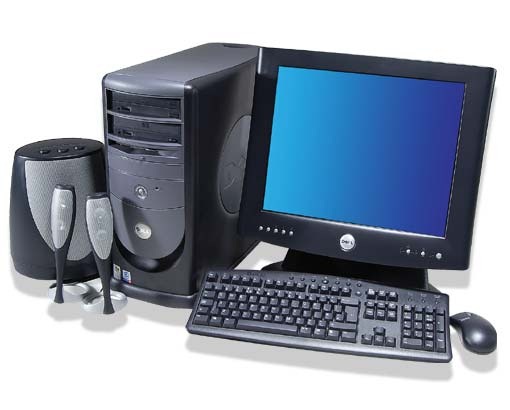
Dell 8200 System piclock


Here is a Photo album.

Categories
Humor Video

Preview Office 2010

Get ready for Microsoft Office 2010.  Watch out for rogue fonts.

Kristen's Healthy Living Blog

Exploring ways to live a healthier life

Brave & Reckless

Reclaiming my inner badass at 50

Discover WordPress

A daily selection of the best content published on WordPress, collected for you by humans who love to read.

Drone Builders Blog

Informational Blog for Drone & Quadcopter Builders and Hobby enthusiast.